OKX perpetual futures · in the browser · free
One screen for your OKX futures.
The chart, your orders, the grid bots, the whales and the news in movable windows — and an assistant that answers out loud from the terminal’s own data. Sign in with your OKX account; nothing to install.
Interface in English. The assistant speaks English and Turkish.


BTC/USDT 1h on the live terminal, with the Fibonacci and trend lines the assistant drew on request.
What the terminal sees right now
Read live from terminal.brainpremium.com, refreshed every minute.
The live feed is not reachable from this page right now.
Largest whale positions (Hyperliquid)
Important news
Windows, not tabs
Every panel is a window you can move.
Markets, Positions, Portfolio, Grid Bots, Radar, Whales, Chat, Notifications and Logs open as windows over the chart. Keep three open side by side, close them with one click, and the terminal remembers the layout. On a phone the same windows become full-screen sheets, and the terminal installs to the home screen as an app.


The Markets window over the chart: every OKX perpetual, sortable, with a right-click chart preview.
The chart
Built on our own candle database.
BrainPremium stores every OKX perpetual — 464 pairs, 11 timeframes — back to the first candle and keeps it in step with the exchange minute by minute. Page back a year without waiting; the overlays are computed from the same bars.
Say it
An assistant that answers from the data, not from a language model.
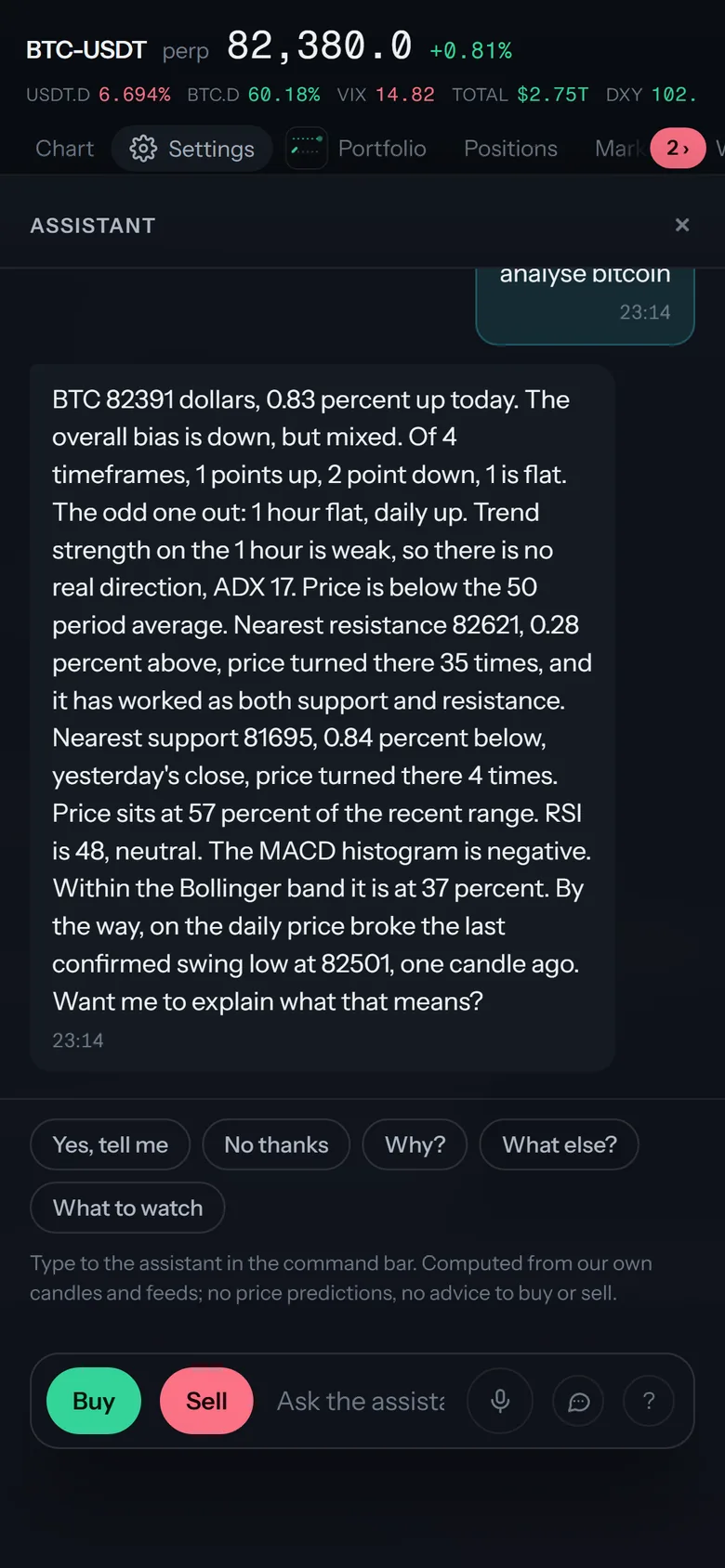
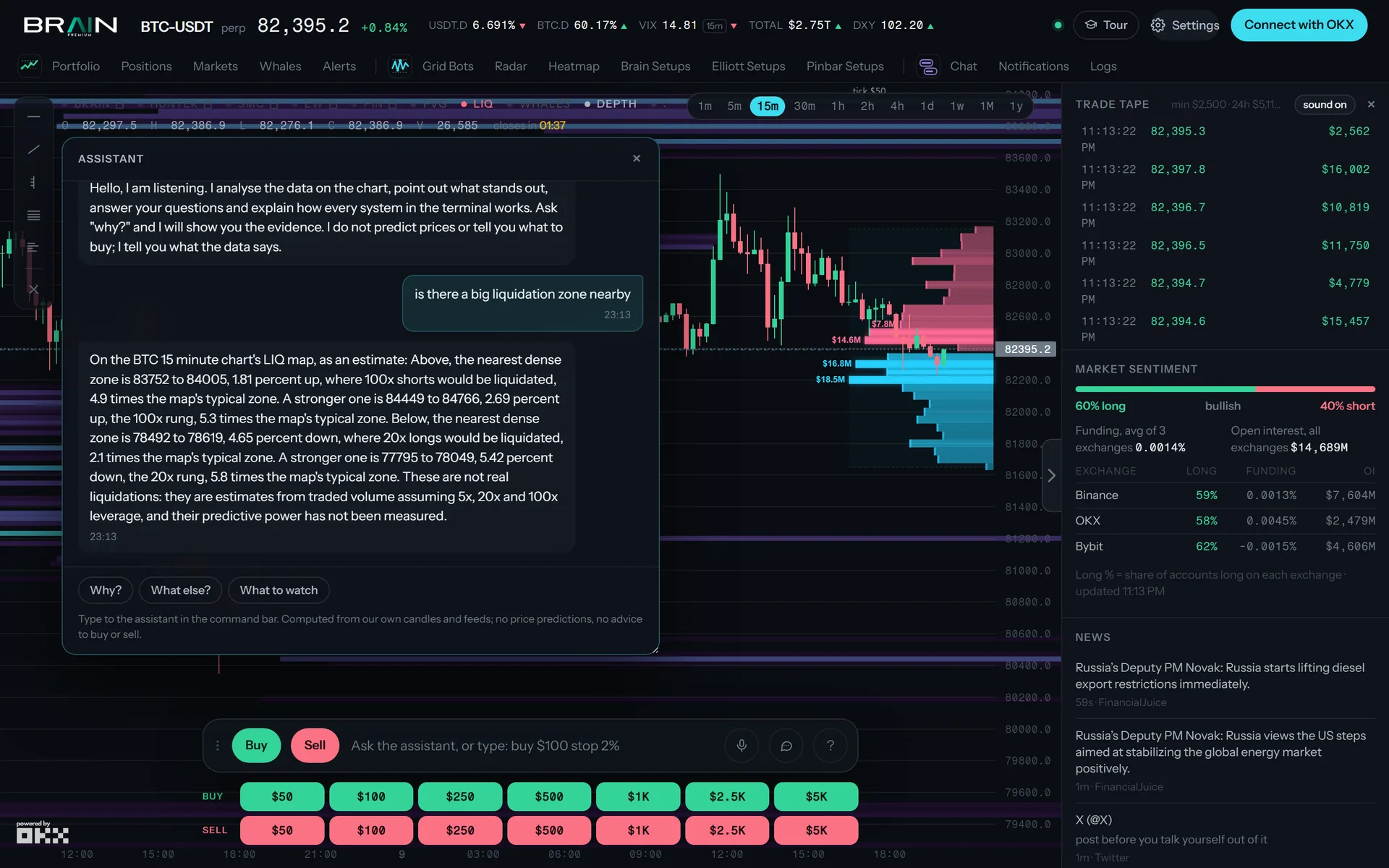
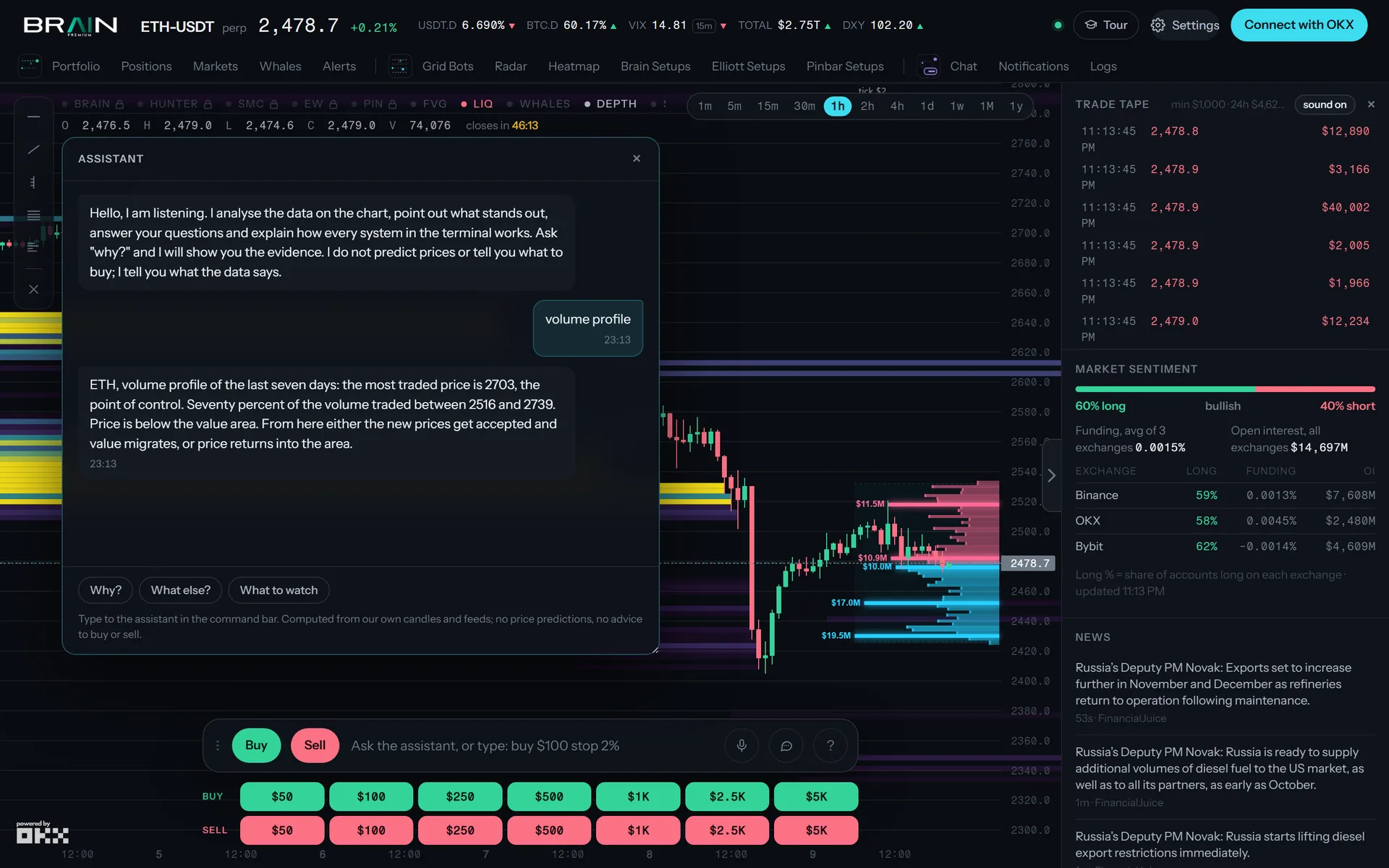
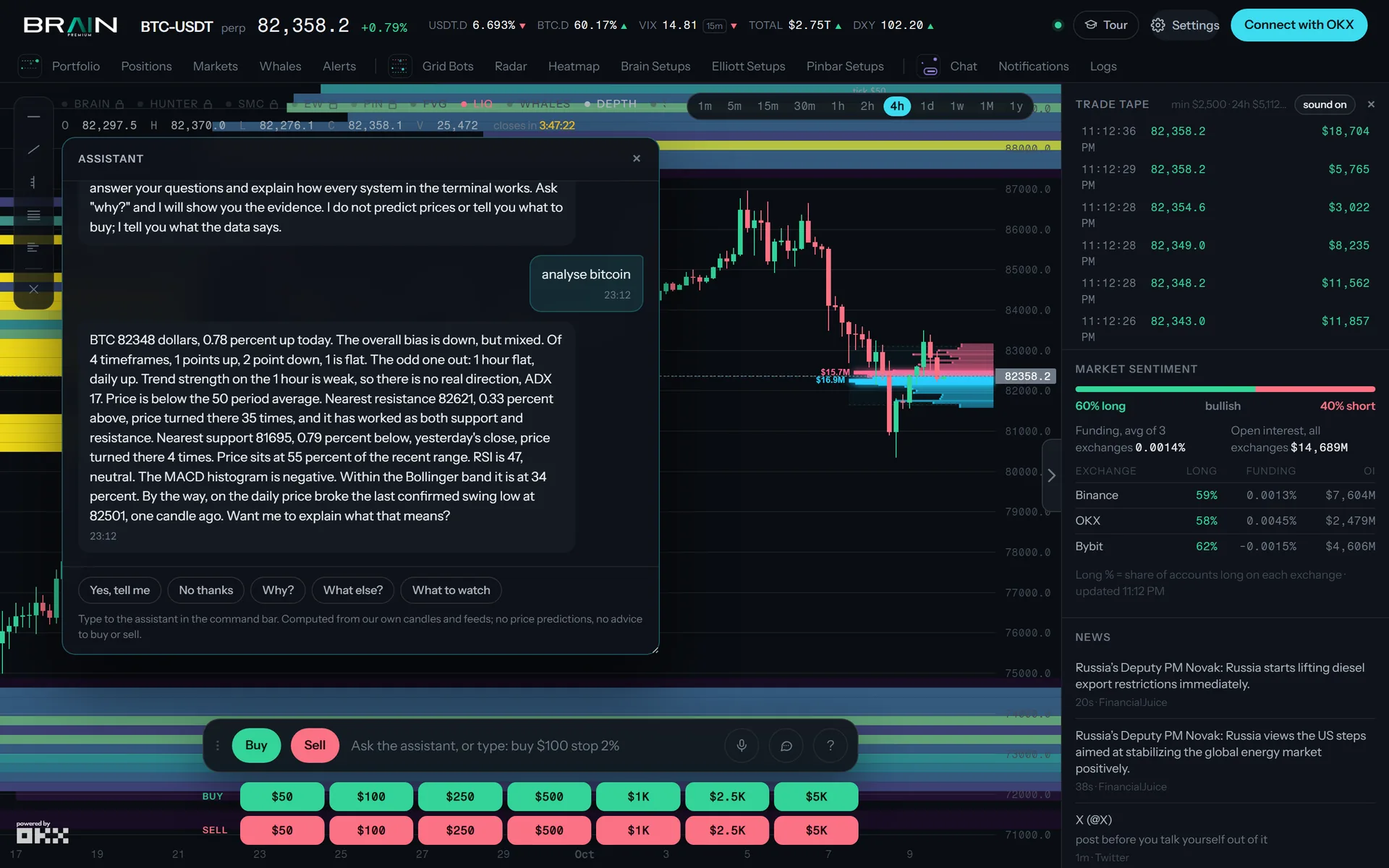
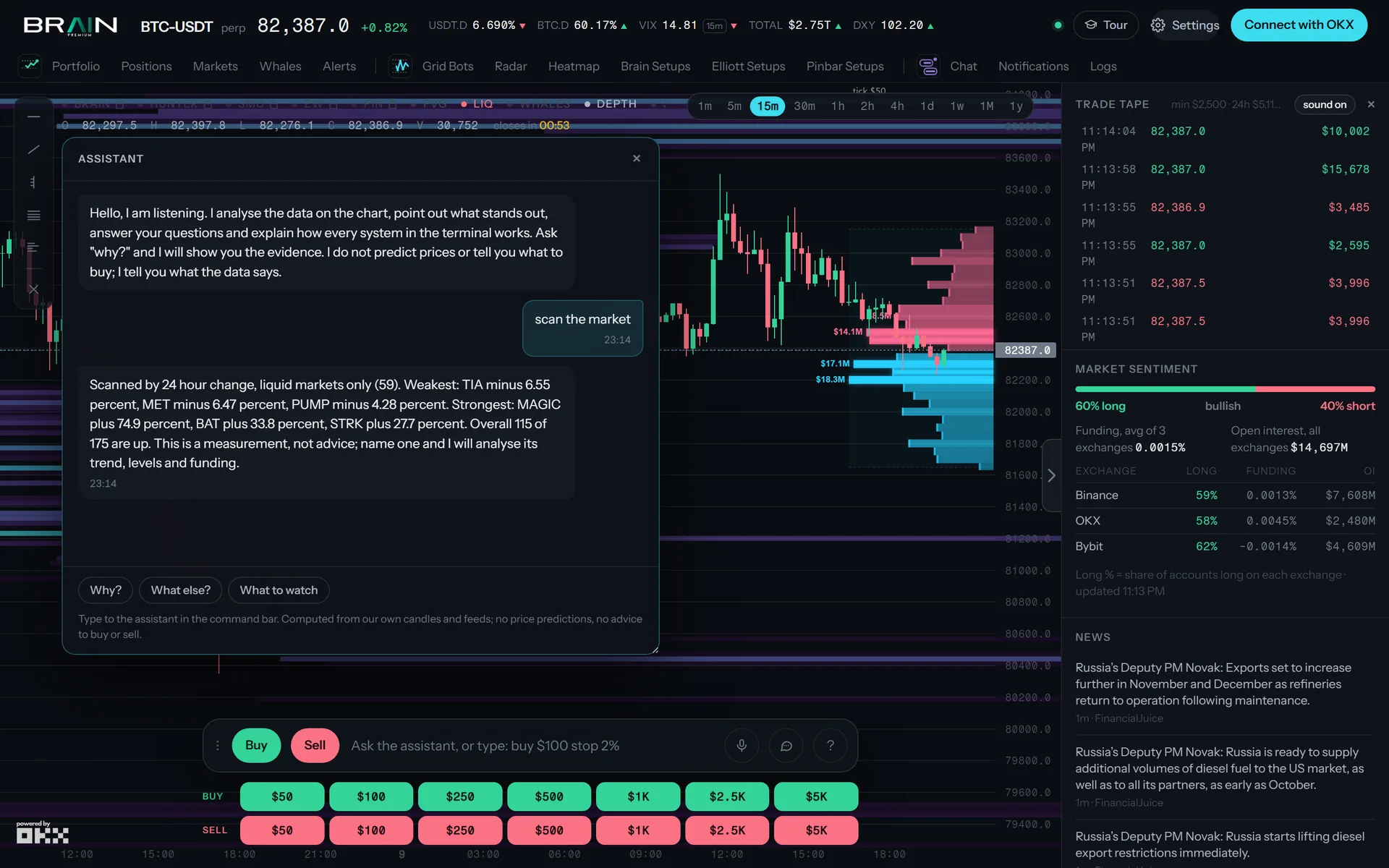
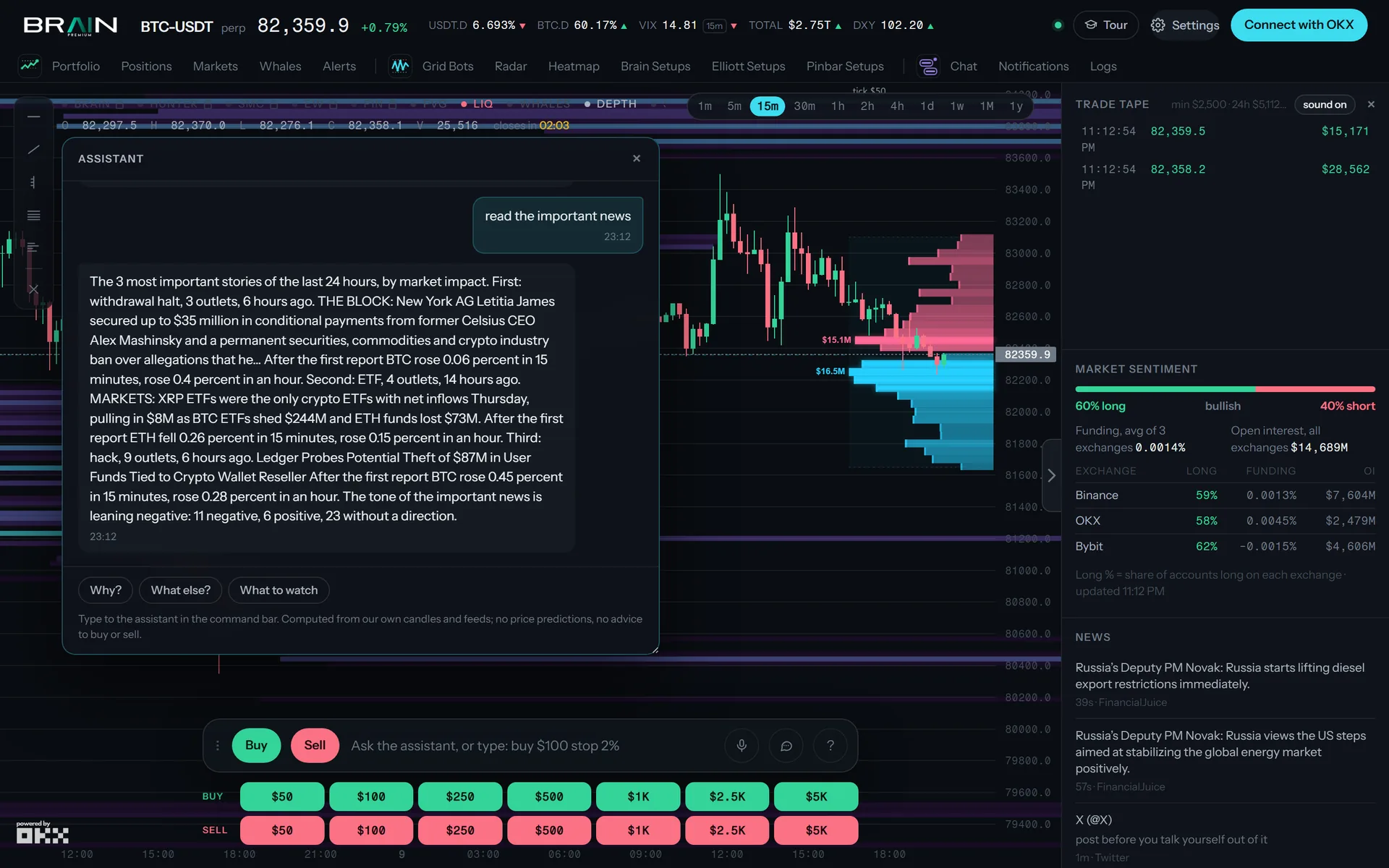
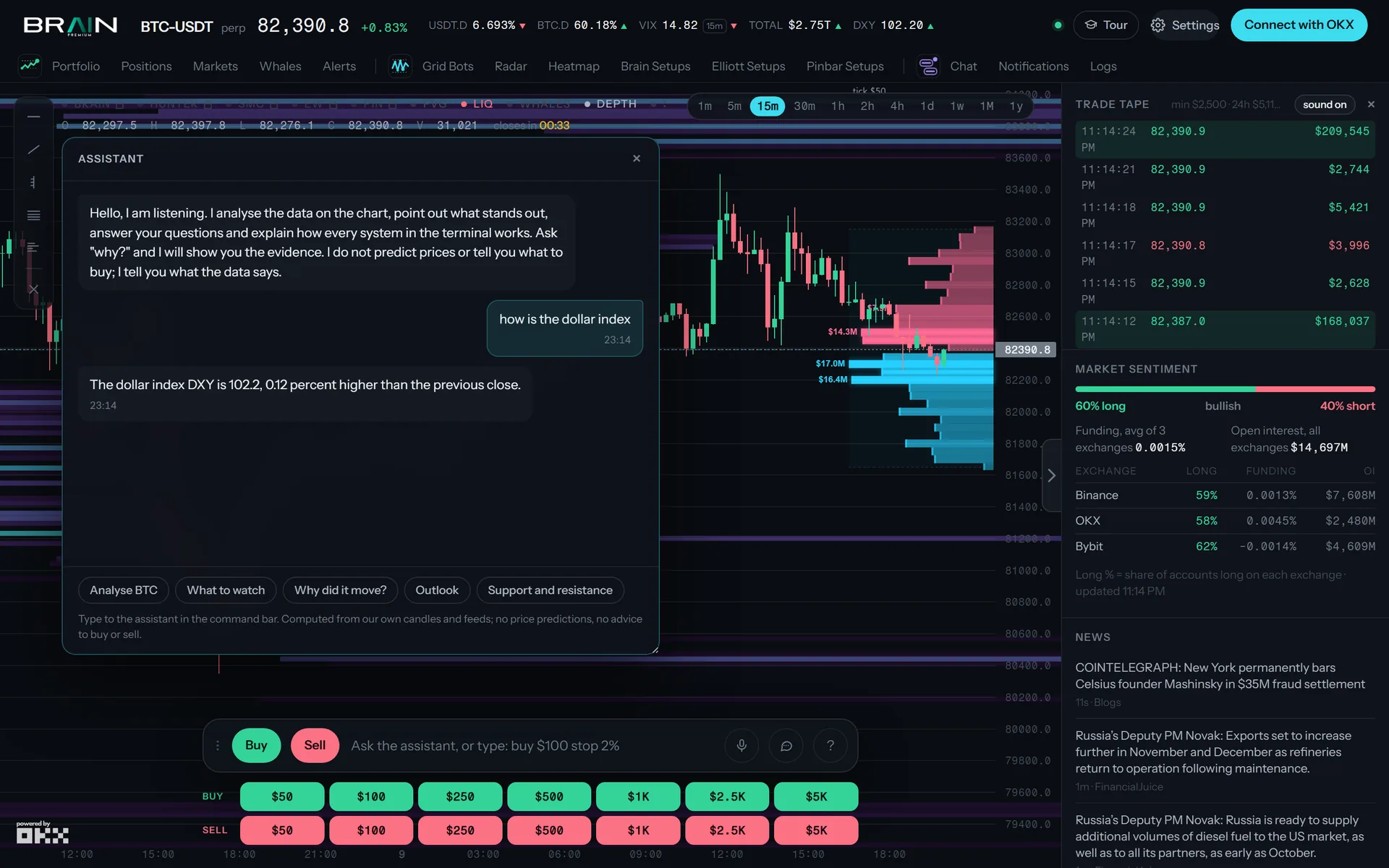
Say “Hey DJ” or type in the command bar. Ask for an analysis, why bitcoin fell, the funding rate, your balance, the whales, the important news, the economic calendar or the dollar index. Every answer is computed from the terminal’s own candles and feeds; when the data is missing it says so instead of guessing. Orders are read back and confirmed by voice before anything is sent.
A real exchange with the assistant, recorded on the live terminal on 9 October 2026 and typed out here unchanged.
Trading
One click, then OKX holds the stop.
Grid bots
Up to three grid bots per account, booked the way OKX books them.
A bot runs on a range from the BRAIN levels or follows the trend one way. You set the budget, the stop loss and the auto take-profit; the bot sizes at the leverage OKX actually holds, caps itself at the budget, and refuses to start when the price has already left the entry zone. Cycle profit is booked by average cost — the same number OKX shows — and every setting survives a restart.
- Mode
- BRAIN range · Trend (long only / short only) · Hedge
- Range
- BRAIN L3 / S3 levels of the chart timeframe, re-read per cycle
- Budget
- min 100 USDT · hard cap, both sides sized first
- Leverage
- capped at the instrument maximum OKX reports
- Exits
- stop loss · auto TP per side · auto TP total
- PnL
- cycle profit by average cost, matched to OKX fills
- Limits
- 3 bots per account · one bot per coin and side
Whales, news, macro
The context, in the same window.
Whales
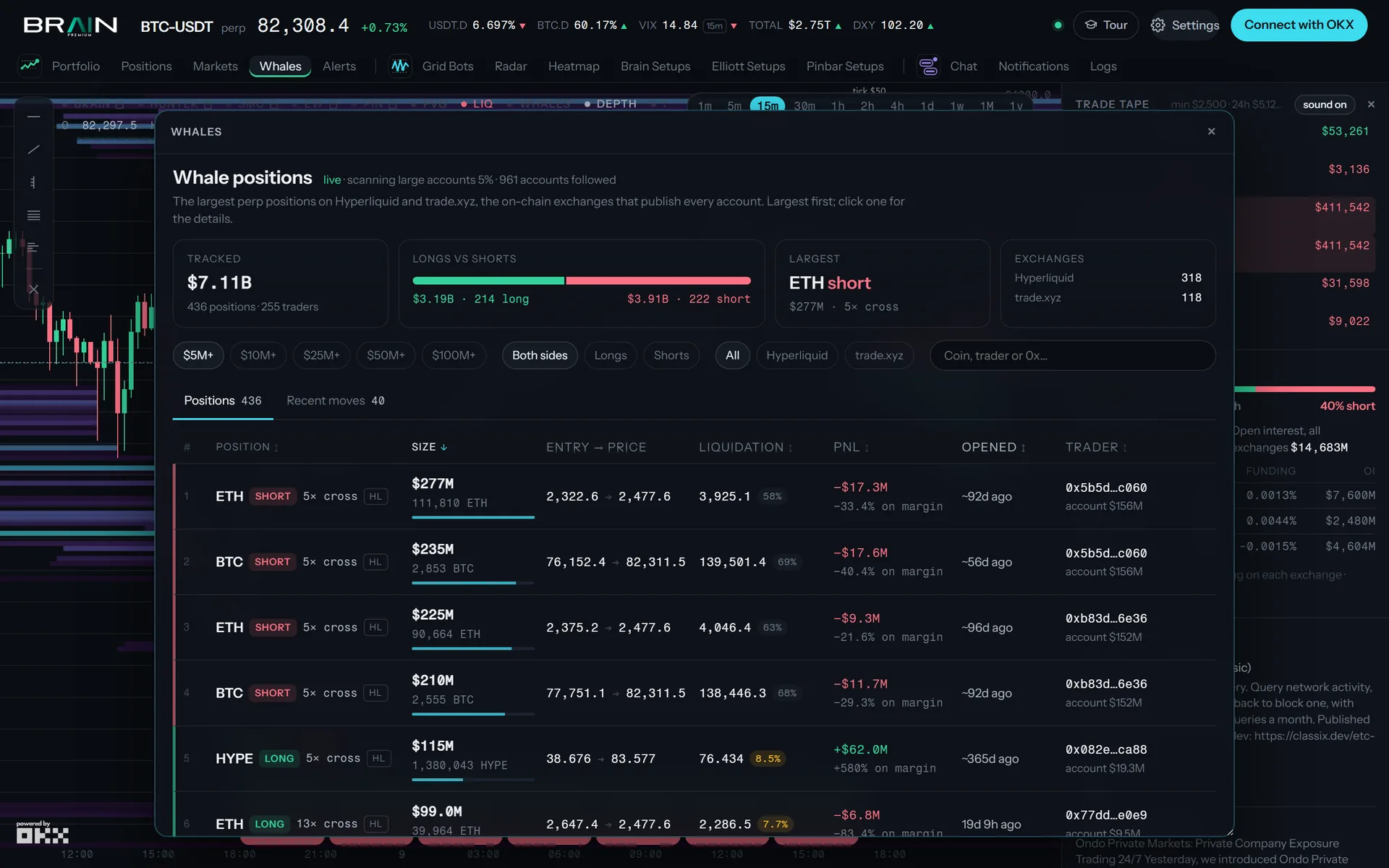
Positions of $10M and more on Hyperliquid, with the opening time proven from fills, the funding paid and the liquidation distance. Alerts when one opens or closes; the assistant answers “what are the whales doing?”
News
Stories ranked by importance across outlets, one story once, read aloud by topic in your language. Image-only posts are labelled, not pasted. The economic calendar sits next to them.
Macro strip
TOTAL, BTC dominance, USDT dominance, VIX and the dollar index in the header — no paid feed, one push per change.
Trader chat
A live chat inside the terminal with one-time nicknames, @mentions and unread counts. Announcements from the team land in the same inbox.
What we measured
No numbers we did not measure.
We test the terminal’s own ideas against controls on real OKX data before they are allowed to promise anything. The results decide what the product says.
In preview
Meme Hunter
A second mode of the same terminal over OKX’s on-chain data: new launches, migrations and trending tokens by chain, smart-money and KOL signals, a chart per token, and buy / sell from your own wallet with the position and its P&L on the chart. Running for the team now; it opens to members when the measurements are in.
Getting started
Three steps.
Sign in with OKX
Open terminal.brainpremium.com and choose Connect with OKX. OKX creates trade-only API credentials for the terminal — no withdrawal permission, revocable in OKX at any time. No password is set here.
Be under the BrainPremium referral
Accounts under the BrainPremium referral use everything, free. Any other OKX account gets a 3-day full trial; after it the chart, the assistant, the news and the whales stay open and trading comes back when the referral is moved (code BRAINPREMIUM) or a new account is created with our link.
Put it on your phone
Android: Chrome offers “Add to Home screen”. iPhone: Safari → Share → Add to Home Screen. The voice assistant needs one tap to unlock the speaker on iOS.